What Is a Hero Image? Definition + Best Practices
Most visitors decide to stay or leave before reading a single word. Your hero image makes that call in 50ms. This guide covers the 5 hero image types, exact sizes (1920x1080px for desktop, 375x600px for mobile), and 8 proven best practices that cut bounce rates and convert more visitors into buyers.


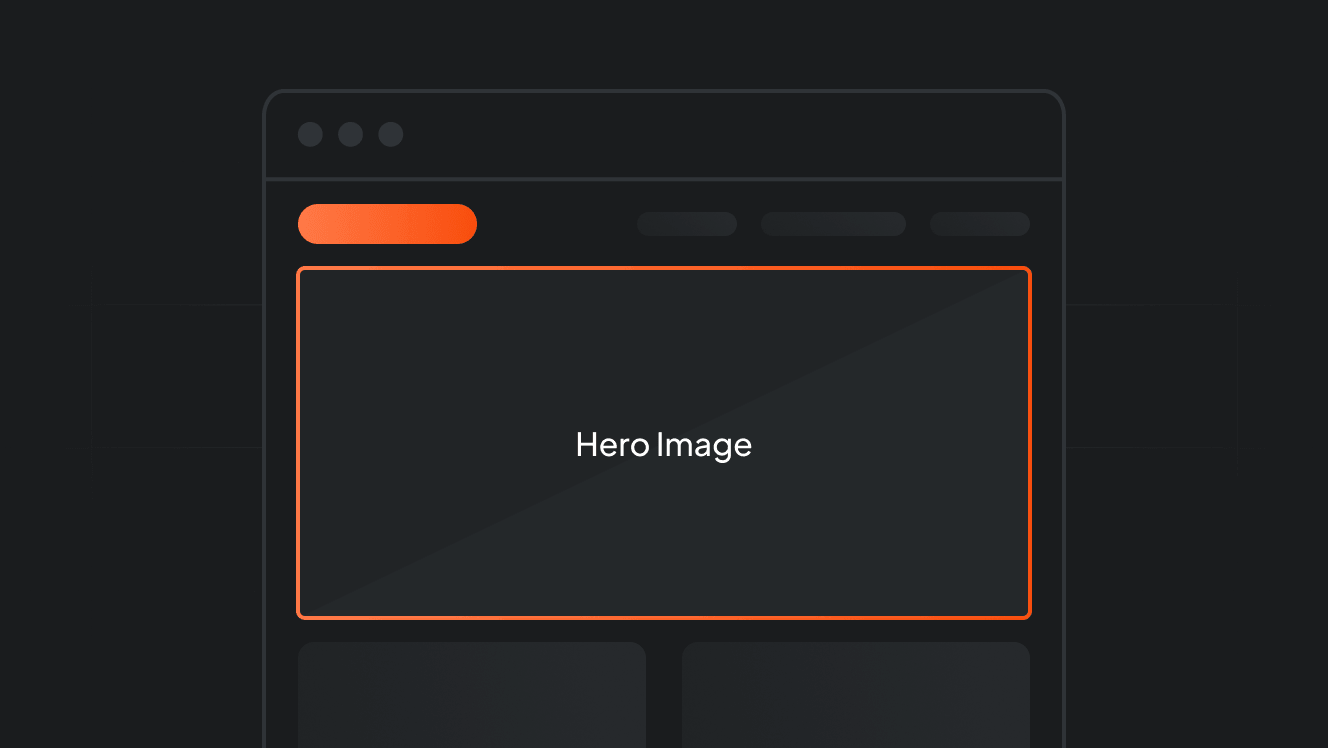
Your hero image is the first thing a visitor sees when they land on your website. Before they read a word, before they scroll, they have already formed an impression.
This guide breaks down what a hero image is, which types work for different goals, the sizes you need, and the best practices that separate high-converting hero sections from the ones that just take up space.
Key takeaways
- A hero image is the large, full-width visual above the fold on a homepage or landing page. It is the first thing visitors see.
- Visitors form a first impression of a website in as little as 50 milliseconds. The hero image does most of that work.
- Hero images come in five main types: static, video, illustrated, product-forward, and lifestyle.
- The recommended desktop size is 1920x1080px at 16:9. Mobile should be built separately, ideally 375x600px.
- Every extra second of page load time reduces conversions by approximately 7%. Hero image file size is the primary driver.
- Over 60% of global website traffic comes from mobile. Hero images not built for mobile miss more than half the audience.
- The most effective hero sections combine one compelling visual, one clear headline, and one strong CTA.
What Is a Hero Image?
A hero image is the large, dominant visual at the very top of a webpage. It spans the full width of the browser and appears above the fold, meaning visitors see it immediately without scrolling.
Also called a hero banner, hero section, or hero header, it almost always pairs an image with a headline, subheadline, and a call-to-action button.
The name comes from film, where the hero shot is the defining close-up of the main character. On a website, it performs exactly that role: it introduces the brand and sets the emotional tone before any copy is read.
For ecommerce brands, the hero section is the entry point to the purchase journey.
Why Hero Images Matter More Than Most Marketers Realize
Visitors form a first impression in as little as 50 milliseconds, per research in Behaviour and Information Technology. That is not enough time to read a headline. The hero image is doing all the work.
A generic or misaligned hero does not just fail to impress. It actively signals the site is not worth the visitor's time. They are gone before reading a single word.
On the conversion side, the hero sets up every downstream interaction. A clear hero makes visitors more receptive to everything below it.
This is especially critical for paid traffic. When someone clicks a Facebook ad or a social media ad and lands on a page, the hero is the first test of a message match.
If the hero does not echo what the ad promised, conversion rates collapse, regardless of how good the ad itself was.
5 Types of Hero Images (and When to Use Each)
The type you choose should be driven by your brand goal, audience expectations, and the conversion action you want. Here is how each type works.
1. Static Photo Hero
A high-quality photograph used as the hero background. Static photos load fast, work on every device, and communicate brand identity instantly when chosen well.
Here is when and how it works best.
- Best for: Ecommerce, service businesses, and lifestyle brands. See how leading brands apply product-forward visuals in these product ad examples.
- Best results: Original photography aligned with your brand. Stock photos that look like stock photos erode trust.
2. Video Hero
A looping or autoplay video replaces the static image. Video heroes communicate mood and brand tone in a way a single photo cannot.
Keep these two rules in mind before choosing this format.
- Best for: Fashion, travel, food, and beverage brands where feeling matters more than features.
- Critical rule: Keep it 8 to 15 seconds, silent by default, and serve a static fallback image to mobile visitors to avoid load penalties.
3. Illustrated or Graphic Hero
Custom illustration, animation, or graphic design serves as the visual anchor instead of photography.
Let's break down who this format serves best.
- Best for: SaaS companies, tech startups, and brands with abstract value propositions that are difficult to photograph.
- Key advantage: Allows complete creative control over color, mood, and metaphor without needing a photo shoot.
4. Product-Forward Hero
The product itself is the hero, isolated on a clean or branded background. This removes all ambiguity: the visitor knows immediately what is being sold.
The same visual discipline that makes this work on a website also drives performance in dynamic product ads: clean background, product dominant, brand visible.
Here is where it performs strongest.
- Best for: Single-product brands, new launches, and promotional pages where immediate product clarity drives conversion.
5. Lifestyle Hero
The product is not the subject. A person using or experiencing the product is. Lifestyle heroes sell the outcome, not the object.
Here is where it fits and the one question to ask before choosing it.
- Best for: Apparel, fitness, beauty, and wellness. The same principles power effective clothing store ads and apply equally to the hero sections those ads land on.
Key question to ask:
Does the image answer 'what does my life look like if I buy this?' If yes, it is doing its job.
Hero Image Sizes and Technical Specifications
Get the dimensions wrong and even a stunning image breaks on screen.
Here is the complete size guide across use cases.
| Use Case | Recommended Dimensions | Aspect Ratio | Max File Size | Format |
|---|---|---|---|---|
| Full-screen desktop | 1920 x 1080px | 16:9 | 300KB | WebP / JPEG |
| Banner-style desktop | 1920 x 800px | 12:5 | 200KB | WebP / JPEG |
| Mobile (phone) | 375 x 600px to 768 x 1024px | 3:5 or 4:5 | 150KB | WebP / JPEG |
| Tablet | 1024 x 768px | 4:3 | 200KB | WebP / JPEG |
| Video hero (looping) | 1920 x 1080px | 16:9 | Under 5MB | MP4 (H.264) |
A few rules that apply to all sizes
Beyond the dimensions, these four rules apply regardless of which use case you are designing for.
- Use WebP format wherever possible. It reduces file sizes by 30 to 50% vs. JPEG at the same visual quality.
- Desktop heroes under 300KB, mobile heroes under 150KB. Every extra second of load time costs approximately 7% in conversions.
- Keep hero height between 500px and 800px on desktop so visitors can always see a hint of what is below the fold.
- Build mobile heroes as separate assets, not responsive rescales of the desktop version. Composition and text legibility break at small widths.
The Anatomy of a High-Converting Hero Section
A hero image alone does not convert visitors. The hero section does. Here is what every high-performing hero section contains.
| Element | What It Does | Common Mistake |
|---|---|---|
| Visual (image, video, illustration) | Sets emotional context. Answers 'what kind of brand is this?' before copy answers 'what does this brand do?' | Choosing a visual that looks good but is unrelated to the offer |
| Headline | Communicates the core value proposition in one sentence. Not features, not a tagline. The benefit. | Being clever instead of clear. Visitors do not pause to decode ambiguous headlines. |
| Subheadline | Adds one layer of specificity the headline could not include. One to two sentences maximum. | Repeating the headline in different words instead of adding new information. |
| CTA button | One action. Maximum visual contrast with the background. Action-oriented language. | Offering two or three CTAs. Multiple options split attention and reduce conversion. |
| Social proof (optional) | Star ratings, customer counts, or client logos placed in or below the hero. Answers skepticism before it forms. | Adding so much proof it competes visually with the headline and CTA. |
For strong CTA language examples across different conversion goals, these call-to-action examples show how leading brands phrase the ask.
Hero Image Best Practices That Actually Move the Needle
There is a lot of generic hero image advice online. Here are the practices backed by data and applied by brands that consistently convert.
Lead with clarity, not cleverness
A beautiful abstract hero that makes visitors wonder 'what is this site about?' is a failing hero section. Clarity converts. The visitor should understand your core offer within three seconds.
If a neutral observer cannot tell what you sell from the hero alone, the hero needs to change. Full stop.
Build mobile heroes separately
Responsive resizing of a desktop hero does not work. The composition that looks intentional at 1920px becomes cropped and illegible at 375px.
Build a dedicated mobile version. This is especially critical for text overlay positioning.
Optimize for Core Web Vitals, not just visual quality
The hero image is typically the Largest Contentful Paint (LCP) element on the page, a direct Google ranking signal. A slow hero image hurts both conversion rates and organic search visibility simultaneously.
To make this clearer, here are the three technical actions that fix it.
- Compress to WebP format.
- Set explicit width and height attributes in HTML to prevent layout shift.
- Load the hero image eagerly. Use lazy loading only for below-the-fold images.
Use the rule of thirds for text placement
Divide the frame into a 3x3 grid. Place the main image subject at an intersection point, leaving visual breathing room for the headline and CTA.
This prevents the text from fighting with the visual and creates a more professional, intentional layout.
Test product vs. lifestyle images
There is no universal answer to whether you should show the product or someone using it. The answer varies by category, audience, and price point.
When running tests, follow these two rules for the most actionable results.
- Start bold: test the most visually different variations you can find, not the most similar.
- The bigger the visual difference between variants, the more actionable the A/B test result.
Align the hero with your ad creative
The hero section is the first test of message match when paid traffic arrives. Inconsistency between an ad and the hero is one of the most preventable causes of high bounce rates.
Brands running Meta catalog ads or social media ads at scale need a visual system that works consistently across both ads and hero sections.
Refresh hero images for campaigns
A January hero is not a November hero. Seasonal refreshes keep the site feeling current and give returning visitors a reason to re-engage.
Brands running Black Friday campaigns or Christmas ad campaigns typically update their hero sections to match the campaign visual for a coherent experience from ad to site.
Common Hero Image Mistakes and How to Fix Them
Most hero section problems are not design problems. They are judgment problems. Here is what goes wrong most often and the fix for each.
| The Mistake | The Fix |
|---|---|
| Stock photos that look like stock photos | Use original photography or heavily edited stock that reflects your specific visual language. Generic imagery signals a generic brand. |
| Text unreadable over the hero image | Add a semi-transparent overlay between image and text, or choose images with naturally low-contrast areas where text sits cleanly. |
| Multiple CTAs competing for attention | Choose one primary action. Secondary actions belong lower on the page, not competing with the hero CTA. |
| Hero section too tall | Keep desktop hero height between 500px and 800px. Visitors who cannot see below-the-fold content often assume there is nothing below and leave. |
| Desktop hero served to mobile unchanged | Create a dedicated mobile version. Responsive scaling alone does not preserve composition or text legibility at small screen widths. |
| Large uncompressed image slowing load time | Convert to WebP. Compress to under 300KB for desktop and 150KB for mobile. A one-second delay costs approximately 7% in conversions. |
| Hero mismatched with ad creative | Maintain visual consistency between ads and landing pages. Message mismatch is one of the top drivers of paid traffic bounce rates. |
| Using a slider or carousel hero | Sliders consistently underperform single static heroes in A/B tests. They split attention, slow load time, and rarely get engaged with past the first slide. |
Hero Images and Ad Creative: The Connection Most Brands Miss
Most brands treat hero images as a website design problem. The brands that consistently outperform on paid advertising treat them as part of a system.
Your hero image is the visual anchor of your brand. When a potential customer sees your ad on Instagram and then visits your website, the hero section is the first test of whether the experience feels coherent or disjointed.
If the ad used a clean, product-forward visual and the hero section shows a busy lifestyle image, the visitor's brain registers an inconsistency. That inconsistency erodes trust, even subconsciously.
The most effective paid advertising funnels treat the ad creative and landing page hero as a single visual unit: same color palette, same product treatment, same tone.
This is exactly what Cropink is built for. By connecting your product data feed to your ad creative templates, Cropink ensures the same brand identity that defines your hero section also defines every dynamic product ad you run across Meta, Instagram, TikTok, and Snapchat.
If your ads and hero section currently look like they come from two different companies, that gap is costing you conversions on every paid campaign. Explore Cropink's dynamic templates to see what cross-asset visual consistency looks like in practice.
Frequently Asked Questions
A hero image is the large, full-width visual at the top of a webpage, above the fold, before any scrolling. It is the first thing a visitor sees and sets the visual tone for the entire page. It almost always includes a headline, subheadline, and call-to-action button alongside the image.
For desktop, the standard is 1920x1080px at 16:9, file size under 300KB. For mobile, build a separate version at 375x600px to 768x1024px, under 150KB. Use WebP format for the best balance of quality and file size across both.
Yes. The hero image is usually the Largest Contentful Paint (LCP) element on the page, one of Google's Core Web Vitals metrics used to evaluate page quality for search ranking. A slow-loading hero image can hurt organic search rankings in addition to reducing conversion rates.
Video heroes create energy and excel for lifestyle brands, but carry load time risk on mobile. Static photo heroes are faster, safer across devices, and often outperform video for conversion-focused pages. Test both if your traffic volume allows. Data beats design intuition every time.
Update whenever you have a meaningful reason: a product launch, seasonal campaign, promotional event, or brand refresh. For brands running active paid campaigns, aligning the hero section with the current campaign visual is particularly important for maintaining message match.
Final Words
Your hero image is not just a design decision. It is a business decision.
Visitors form their first impression in under a second. That impression is driven almost entirely by what they see in the hero section before they read a word.
The brands that win with hero images are not the ones with the biggest photography budgets. They are the ones that lead with clarity, match their visual identity from ad to landing page, and optimize ruthlessly for load speed.
If you are running paid ads and want every campaign to land on a hero section that feels like a seamless continuation of your ad creative, Cropink is built for exactly that. Try Cropink for free
Sources
- Behaviour and Information Technology. Attention Web Designers: You Have 50 Milliseconds to Make a Good First Impression
- Crazy Egg. Every Hero Image Size You Need to Know
- Invesp. What Is a Hero Image? The Ultimate Guide to Beguiling Website Visitors
- Radical Web Design. What Is the Hero Section on a Website? Tips and Examples
- Shopify. What Is a Website Hero Image? How to Create One and Best Practices
- Hyperspeed. Hero Images 101: Design, Optimize, and Launch with Confidence
- Detachless. Best Practices and Creative Hero Section Design Ideas for 2025
- Cronyx Digital. The Ultimate Guide to Website Images (2025)
Ansherina helps brands create powerful digital marketing and performance marketing strategies. With a passion for ad design and audience engagement, she is dedicated to making brands more visible and impactful.
Leszek is the Digital Growth Manager at Feedink & Cropink, specializing in organic growth for eCommerce and SaaS companies. His background includes roles at Poland's largest accommodation portal and FT1000 companies, with his work featured in Forbes, Inc., Business Insider, Fast Company, Entrepreneur, BBC, and TechRepublic.
Related Articles


How Can Cropink Help?
Start with Cropink is easy and free
No credit card required